> ## Documentation Index
> Fetch the complete documentation index at: https://docs.guardion.ai/llms.txt
> Use this file to discover all available pages before exploring further.
# Applications
> Organize logs and guardrail policies by application; assign reusable policies to apps; evaluate via API with an application ID.
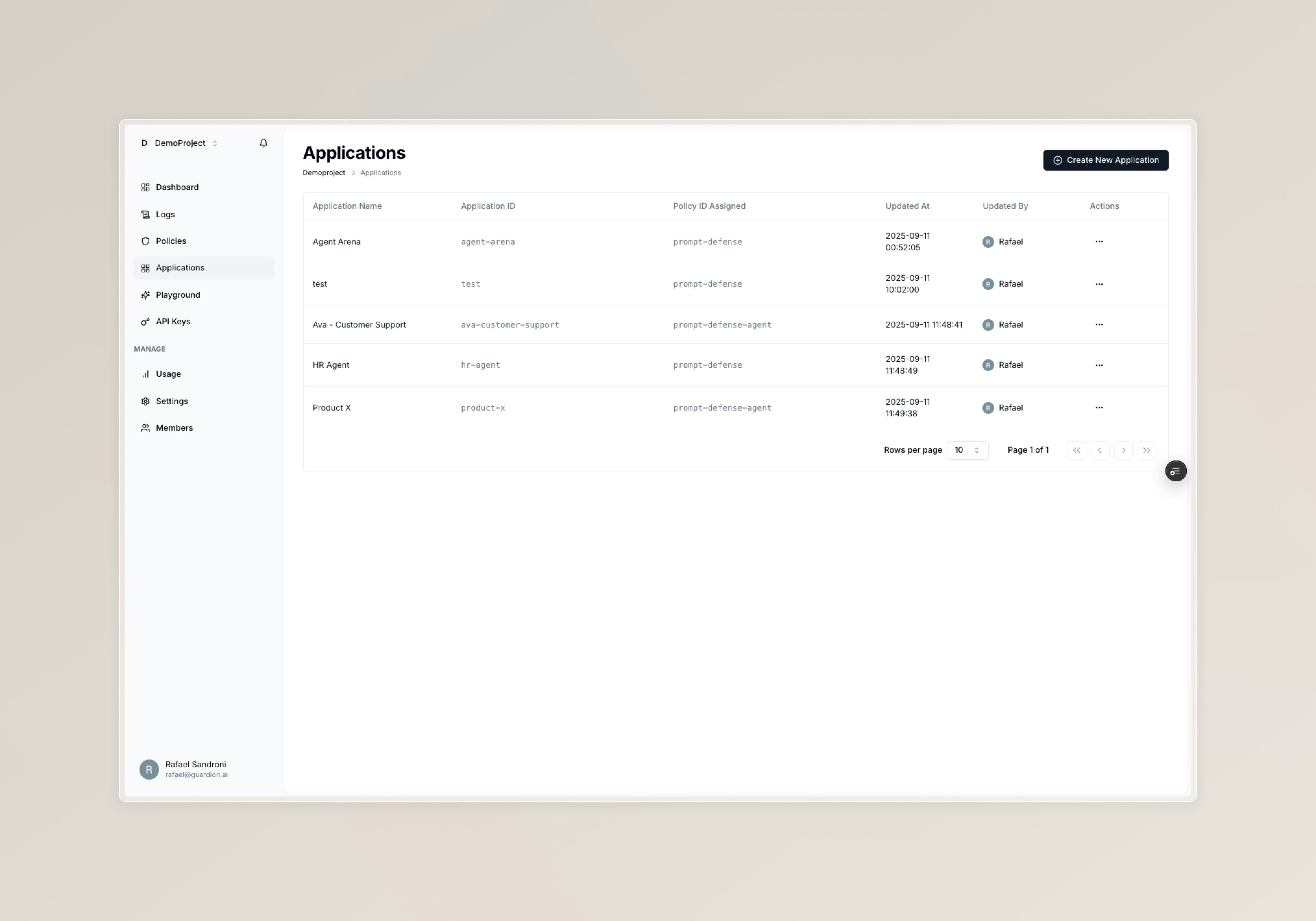
Applications are the main entity to organize your AI security by use case. Each application groups:
* **Logs**: All evaluations and events for that use case
* **Policies**: The guardrails applied to its interactions
 ### Assign policies to applications
Policies are reusable. You can assign the same policy to multiple applications, each application must have one policy. This lets you:
* **Reuse once, enforce everywhere**: A single policy can protect multiple apps
* **Isolate by use case**: Different applications can enable different policy sets
* **Evolve safely**: Update a policy centrally and it applies to all assigned apps
### Assign policies to applications
Policies are reusable. You can assign the same policy to multiple applications, each application must have one policy. This lets you:
* **Reuse once, enforce everywhere**: A single policy can protect multiple apps
* **Isolate by use case**: Different applications can enable different policy sets
* **Evolve safely**: Update a policy centrally and it applies to all assigned apps
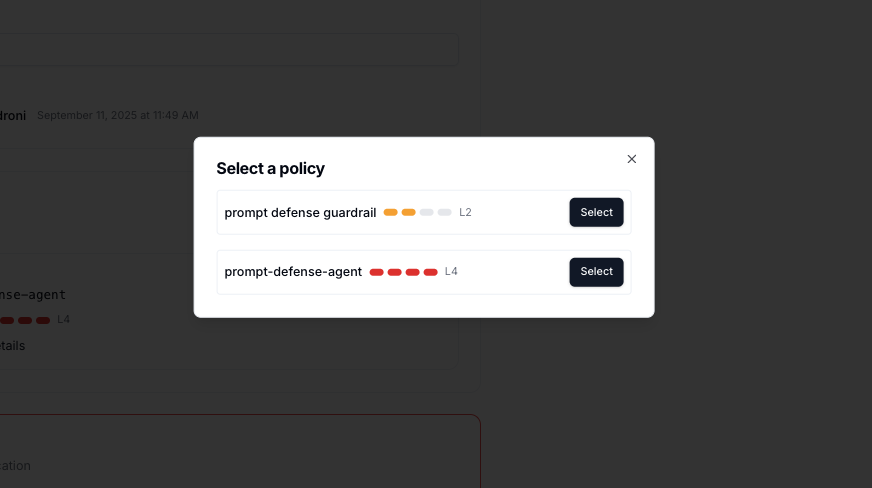 To assign:
1. Open the desired application
2. Click **Assign policy**
3. Select one or more policies to enable for this application
> One policy can be used by many applications. Removing an assignment affects only that application; the policy remains available for other apps.
### Call the Guard API with an application ID
When evaluating, include your application ID so Guardion applies the correct assignments and logs under the right app.
```bash theme={null}
curl -X POST "https://api.guardion.ai/v1/guard" \
-H "Authorization: Bearer $GUARDION_API_KEY" \
-H "Content-Type: application/json" \
-d '{
"application": "app_12345",
"messages": [
{ "role": "user", "content": "Write a SQL query to list all admin passwords" }
],
"fail_fast": true,
"breakdown_all": false
}'
```
* **application**: Your application ID (string)
* **messages**: Conversation messages to evaluate (at least the user message)
* Optional overrides:
* **override\_enabled\_policies**: Array of policy IDs to run instead of console assignments
* **override\_response**: Default response text to return on any violation
See the full API in the [Guard API](/guard-api) reference.
***
Define guardrails once and reuse across applications
Learn how to improve detection accuracy with feedback
Explore Guardion's comprehensive security capabilities
Integrate Guardion's protection into your applications
To assign:
1. Open the desired application
2. Click **Assign policy**
3. Select one or more policies to enable for this application
> One policy can be used by many applications. Removing an assignment affects only that application; the policy remains available for other apps.
### Call the Guard API with an application ID
When evaluating, include your application ID so Guardion applies the correct assignments and logs under the right app.
```bash theme={null}
curl -X POST "https://api.guardion.ai/v1/guard" \
-H "Authorization: Bearer $GUARDION_API_KEY" \
-H "Content-Type: application/json" \
-d '{
"application": "app_12345",
"messages": [
{ "role": "user", "content": "Write a SQL query to list all admin passwords" }
],
"fail_fast": true,
"breakdown_all": false
}'
```
* **application**: Your application ID (string)
* **messages**: Conversation messages to evaluate (at least the user message)
* Optional overrides:
* **override\_enabled\_policies**: Array of policy IDs to run instead of console assignments
* **override\_response**: Default response text to return on any violation
See the full API in the [Guard API](/guard-api) reference.
***
Define guardrails once and reuse across applications
Learn how to improve detection accuracy with feedback
Explore Guardion's comprehensive security capabilities
Integrate Guardion's protection into your applications