> ## Documentation Index
> Fetch the complete documentation index at: https://docs.guardion.ai/llms.txt
> Use this file to discover all available pages before exploring further.
# Track usage & limits
> Track API requests and token consumption trends.
## Token and Request Consumption
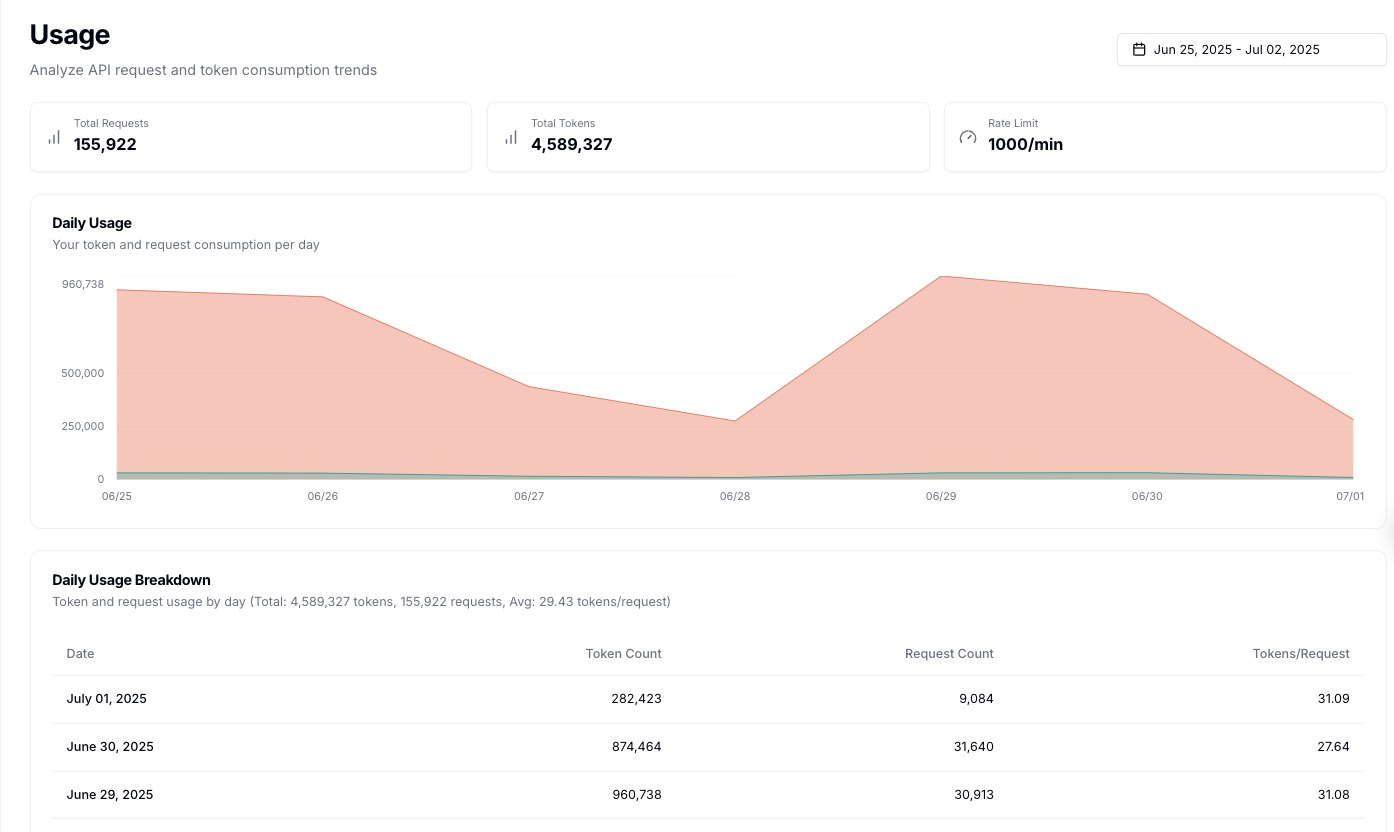 * **Total Requests**: The total number of API calls made, irrespective of the number of policies or message content.
* **Total Tokens**: The total tokens processed in your requests.
* Token calculation is based on the enabled policies, where each policy evaluates the token count of the message content.
* **Rate Limit**: The maximum number of requests allowed per time period for your account.
## Limits
### Token Limit per Request
* The Guard API processes up to 8,000 tokens per request.
### Rate Limit
* A rate limit of 1000/min means up to 1000 requests can be made within one minute.
* Exceeding this limit will result in an HTTP 429 Too Many Requests error.
***
## Filters
Use the filters to define the date range for your analysis.
1. Navigate to the **Dashboard**.
2. Select **Project Account** → **Usage**.
3. Choose your desired date range.
***
## Need Higher Limits?
Reach out to your GuardionAI account representative to explore options for upgrading your plan.
* **Total Requests**: The total number of API calls made, irrespective of the number of policies or message content.
* **Total Tokens**: The total tokens processed in your requests.
* Token calculation is based on the enabled policies, where each policy evaluates the token count of the message content.
* **Rate Limit**: The maximum number of requests allowed per time period for your account.
## Limits
### Token Limit per Request
* The Guard API processes up to 8,000 tokens per request.
### Rate Limit
* A rate limit of 1000/min means up to 1000 requests can be made within one minute.
* Exceeding this limit will result in an HTTP 429 Too Many Requests error.
***
## Filters
Use the filters to define the date range for your analysis.
1. Navigate to the **Dashboard**.
2. Select **Project Account** → **Usage**.
3. Choose your desired date range.
***
## Need Higher Limits?
Reach out to your GuardionAI account representative to explore options for upgrading your plan.